Create and display an objective
In a new test world with command, enter the lines one by one. Name project_points - internal key; “Project Points” is a heading for players. The dummy criterion means that you change the value of command: it does not count kills automatically.
/scoreboard objectives add project_points dummy "Очки проекта"
/scoreboard players set @s project_points 0
/scoreboard objectives setdisplay sidebar project_points
/scoreboard players add @s project_points 1
Don't mix the three operations
objectives add creates an objective once. players set assigns a specific value and erases the previous score. players add adds to the existing one. If set 0 is in a repeating block, the point will be reset to zero immediately after being issued.
For players who do not yet have an entry, scoreboard players add @a project_points 0 is convenient: the existing value will be retained. Check this in your copy of the mini-game to ensure it doesn't affect the overall score of other participants. When rewarding one player, do not use @a without reason.
Give out the reward once
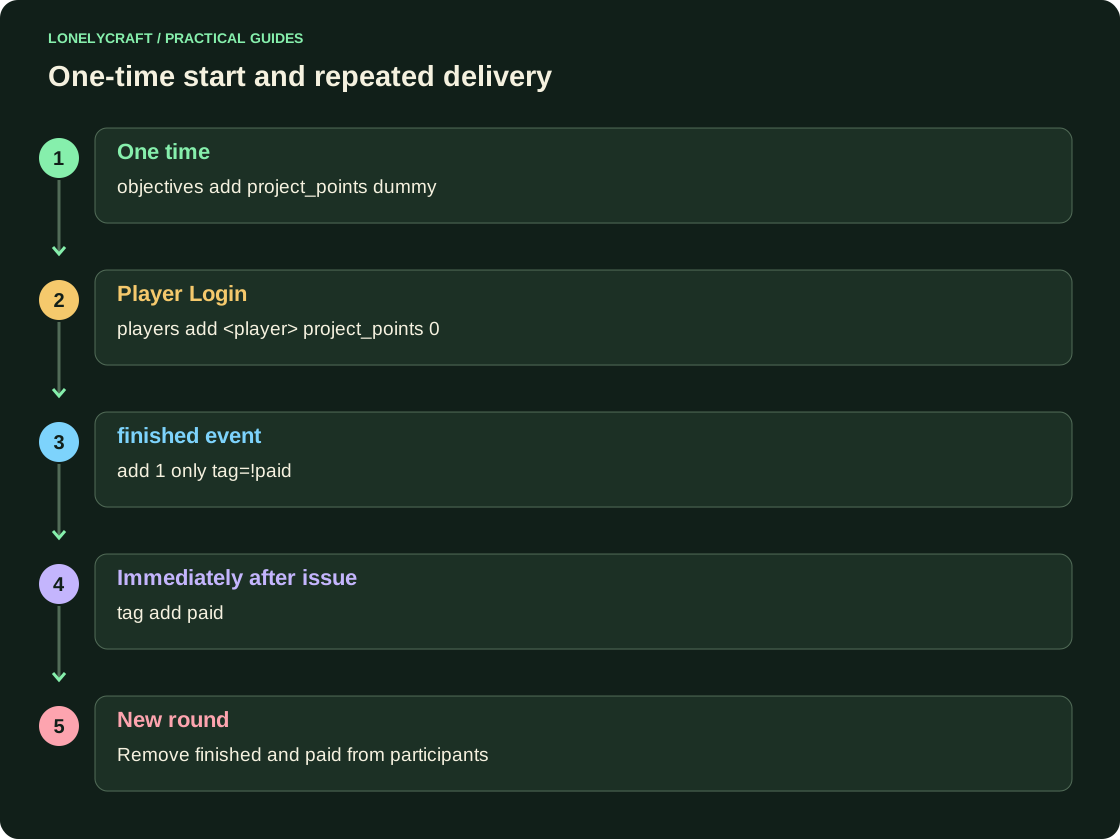
Using the participants labeled finished as an example, execute two commands in this order. The second marks those who have already been given a reward. Both commands must select the same group. For a new round, separately remove paid from its participants - otherwise they will remain awarded forever.
scoreboard players add @a[tag=finished,tag=!paid] project_points 1
tag @a[tag=finished,tag=!paid] add paid
Collect the sequence into one file with a clear call. Reward function.
Test with two players, then clean up
Let the first one get finished, the second one not. Start issuing twice: the number of the first should increase by exactly 1, the second should remain the same. Then remove paid and finished only from the test round participants. This checks not only the beautiful sidebar, but also the recipient’s choice.
/scoreboard objectives setdisplay sidebar hides the sidebar, saving data. /scoreboard objectives remove project_points deletes the target and its values. To check, use /scoreboard players list @s; Don't delete a target to temporarily hide the interface.
The order and convention of blocks affect the output. Command block chain.