
Save the world’s full specifications
Write down the entire numerical seed along with the minus, edition, exact version, generation type, structures, experiments and data pack/additions. Bedrock has a built-in selection of seeds - a starting catalog, rather than a promise of constant generation in all future releases. Reference: Minecraft: Bedrock Seed Picker FAQ.
To check, create a Creative copy of the parameters with command. An old save and a newly created world with the same seed may diverge into previously generated chunks after updates.
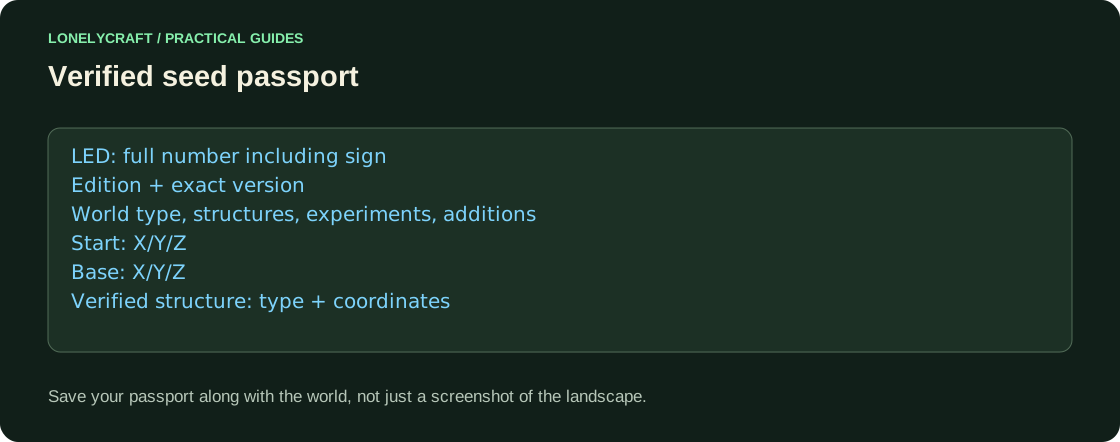
Three checks instead of a beautiful screenshot
Our protocol: inspect the square 256×256 around the start, the path to the first village and the site of the future base. Note available wood, food, water, and terrain. If you are building a port, a convenient coastline is more important than a spectacular mountain far from the spawn.
Check the structures using locate in the desired dimension. Java village coordinates are not guaranteed Bedrock village coordinates, even with similar biomes. The chest from the cutscene also doesn't confirm that your version contains the same loot.
If world allows searching for command, use your edition's syntax: Locate a structure or biome and plan your route.
Make a decision before the main start
Save two or three points with X/Y/Z and make a short test of the route in the Survival copy: is there enough daylight, is a bridge needed, is the water too far away. Creative flight hides the practical cost of slopes and cliffs.
Compare candidates for one project: “base by the sea”, “island without transportation”, “close cold biomes”. Do not publish a random number as a ready-made best seed without verified coordinates and version.
The list of replenishable supplies for the trip is given here: A biome expedition: bring home the resources you need.