Create a basic project in MCTools
Open Microsoft tutorial and Minecraft Creator Tools. In Add-On Starter, click New. Specify Title: SlowCow, Creator Name: your name, Short Name: lc. Create a project and open its files with the browse button.
Find the behavior package by manifest.json: The module has type: data. resource pack has type: resources. Save both if the generator has linked them via dependencies: the UUID and version of the dependency must point to the header of the resource bundle.
Change one property
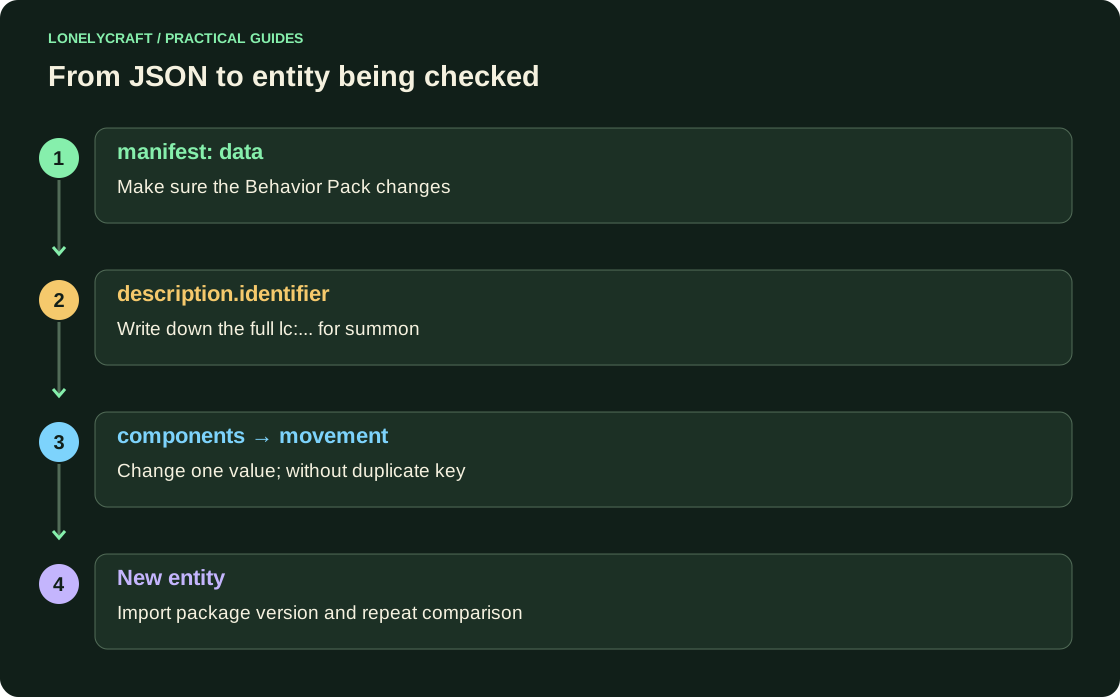
Open the JSON of the generated entity in entities of the behavior package. Write down description.identifier: this is the name you will need for command summon. In the existing components object, find minecraft:movement and for a visual comparison, halve the original value. Below is an example of the 0.1 value, not the full entity file.
- Don't add a second minecraft:movement key next to the old one.
- value is the basic movement parameter, not the speed in blocks per second.
- Don't change the AI targets, model and texture at the same time: then the result is more difficult to explain.
"minecraft:movement": {
  "value": 0.1
}
Test the exact entity type you created
Export the project the way from MCTools, import into Minecraft and activate the associated kits in a new creative world with command. Execute /summon lc:имя, replacing the entire identifier with the value from description.identifier. Calling minecraft:cow checks for a vanilla cow if the project has created a custom type.
Create a new entity after loading edits. Compare it with the original version in the same pass, returning only movement. The AI can stop or speed up, so one random step does not measure the exact speed.
If there is no result
First make sure the package is active and command finds the type. Then check if the JSON is correct, if the commas are correct, and if the component is not overridden by another entity group. When re-importing, upgrade the version of the package and check the downloaded release. Don't generate new UUIDs for every small edit: you might end up with multiple independent packages instead of updating.
Check models and textures separately from behavior. Bedrock resource pack.
Open the main world with the package after testing on a copy. Copy of world Bedrock.