

Record the symptom and affected area
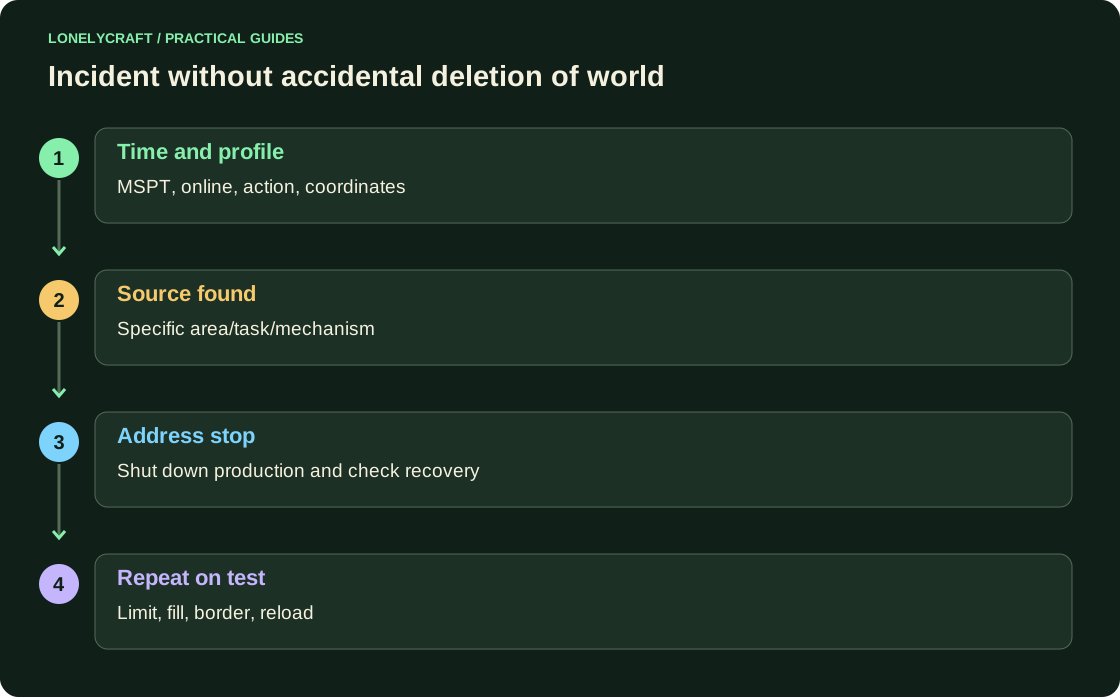
Record the time, MSPT/TPS, online and last actions: entering new chunks, launching the mechanism, command plugin. If the console responds, save the profile at the time of the problem. Don't start with the conclusion that any heavy project is done with malicious intent.
| Observation | First hypothesis | Check |
|---|---|---|
| Lag only when loading area | Entities, block entities or active mechanics | Compare the profile with and without treatment of this area |
| Lag after one command | Synchronous hard work of the plugin | Repeat on the test with the same volume |
| Lag during reconnaissance | Generation/loading | Compare ready route |
| Memory growth without return | Retained data or accumulation | Compare after GC and same load |
Build a normal shutdown control into the machine
For large farms allowed, require an accessible switch, an entity limit, and a clear exit when the storage is full. A stop should stop production, not just turn off the lamp in the control room. Check it after returning to the area.
For public zones, limit the right to build and run mechanisms to the installed territory plugin. In WorldGuard, flags and intersection priorities are set explicitly: one global ban should not be transferred to all game regions without testing. The documentation should explain to the player what behavior is acceptable.
During an incident, target only the cause
Find the source using the stack and coordinates. Turn off a specific mechanism or its permitted control input. If an administrative stop is required, agree on it according to the server rules and save the data; Don't delete random chunks without trying a less destructive method.
After recovery, leave a copy of the profile and a description of the action. Clearing only the accumulated items may provide temporary relief, but without stopping production the source will return the load. Likewise, restarting erases the symptom without explaining the cause.
The profile links the processing to a real-life scenario. Reading spark.
Test the restriction
State the rule specifically: what counts, in what area, when a new object is blocked, and what the player sees. Check the rough limit on a chunk at the border: neighboring chunks can make the load much larger than expected.
In the test, reproduce the allowed farm, filling the container, stopping, re-loading the area and trying to exceed the limit. Compare MSPT and the safety of a regular game function. Automatic protection is useful when it can be verified and explained.
The alert should lead to a clear action, and not communicate every hesitation. Server metrics.
