

Three observations per minute
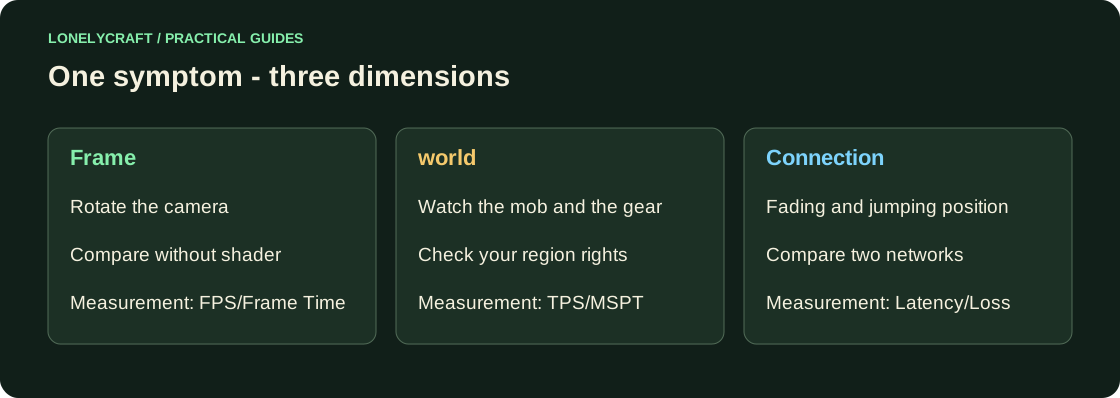
Stand in an already busy area and rotate the camera. Then open the chest, break a normal block where it is allowed, and watch the other player's movement. Record the time and location: This will allow the administrator to match the episode with the server schedule.
| What is visible | What to check first |
|---|---|
| The camera is jerky, the menu is also slow | FPS and frame time on the client |
| Camera is smooth, mob and mechanisms are slower | TPS/MSPT servers |
| Players freeze, then quickly jump | Ping, loss, connection |
| The block is returned only in a protected area | Rights and rules of the region; it may not be a lag |
FPS - frame drawing speed
Compare the same camera rotation without shader and at a lower resolution. If it's smoother, the client graphics load is important. If only the first visit to the area is slow, repeat the route after loading. Don't compare spawn with an empty single world as the same load.
Start with sequential resolution and range measurements. Settings for a weak computer.
TPS and MSPT - is the server keeping up?
The normal target for Minecraft is 20 tick per second: there are 50 ms remaining on tick. MSPT shows processing time; Sustained budget overruns reduce TPS. With 20 TPS, reducing MSPT from 35 to 15 means more headroom, not speeding up the game itself.
The administrator runs /spark tps. During a repeatable problem, it is useful to profile /spark profiler start --timeout 120, then view the result. An unlicensed player can report the exact time and action, but not measure the server cause by their FPS.
How to associate an expensive stack with a specific load. Reading spark profile.
Ping and losses - the path to the server
Compare one connection over Wi-Fi and cable or another network. Do not run VPN and background loading at the same time if you are checking their influence. High latency and loss are different problems: steady 100 ms are different from spikes 20–1000 ms.
ping checks the ICMP, not the game protocol. The lack of a response does not prove that the server is unavailable; the server can filter ICMP. For the report, indicate the time, network, edition, version, moment of the break and the exact text of the error. If only one player has a problem, this is a useful clue, but not yet proof of the cause.
