

Edit an existing world configuration section
On the test server, after the backup, stop the process normally. In config/paper-world-defaults.yml, look for anticheat.anti-xray, and then check paper-world.yml for the desired world: a local override can change defaults. Edit the generated Paper files without creating the second anticheat block below in YAML.
Open official examples of the selected mode. For a narrow test of 1 mode, you can use the snippet below; it only hides the listed diamond ores and does not provide complete protection for all materials.
anticheat:
  anti-xray:
    enabled: true
    engine-mode: 1
    hidden-blocks:
      - diamond_ore
      - deepslate_diamond_ore
    replacement-blocks: []
    max-block-height: 64
    update-radius: 2
    use-permission: false
How the modes differ
The 1 mode hides matching locked blocks under the appearance of a rock. The 2 mode uses dummy blocks from the set, the 3 mode distributes them across chunk layers. More aggressive camouflage requires client and network verification. Adding air can degrade FPS; don't include it just for the name "stronger".
max-block-height limits the height of the action. The 64 example does not protect everything above. Select the lists of ores and Nether parameters separately, and not by copying the overworld config without checking.
Three result checks
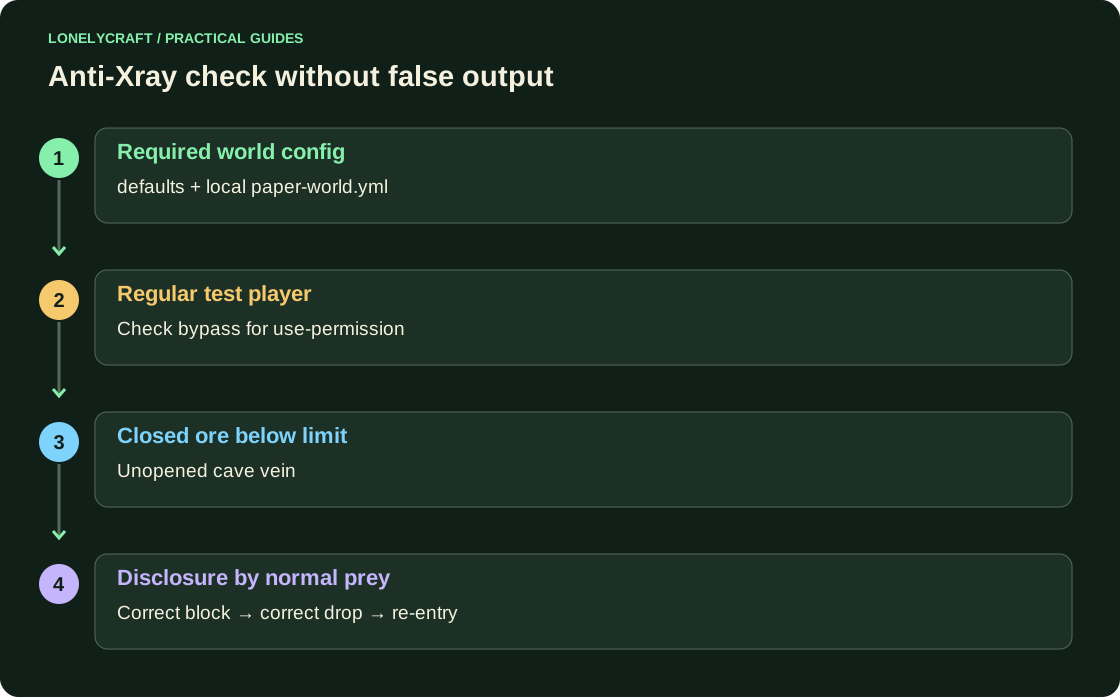
Use a separate regular player. If permission checking is enabled, operator or paper.antixray.bypass may see a different picture. Test sealed ore below the specified limit; an open vein in a cave is not valid evidence that the protection is turned off.
- Connect again after a normal launch and check the desired world.
- Uncover the known closed test block with regular loot: the true material must appear on time, the drop remains correct.
- Check neighboring blocks, re-enter and teleport to another chunk; compare the load with the old config.
Fake blocks and player reports
When delaying the reveal, save the coordinates, world, time, client, and before/after snapshot of the interaction. On a test copy, compare the 1 mode and the original update-radius. Don't fix everything by mass regeneration of chunk.
A player's large loot by itself does not check Anti-Xray and does not prove violation. For maintenance, a reproducible test of the sent data and normal mining plus load monitoring is more useful.
False blocks are capable of loading graphics separately from tick. Client and server load.
Compare server costs in the same scenario. Server profile.
