Choose a way to interact
Open pause → Settings → Touch control / Touch → change control mode. Available designs combine a D-Pad or joystick with block tap or crosshair and separate buttons. First choose your interaction mechanics, then move the buttons.
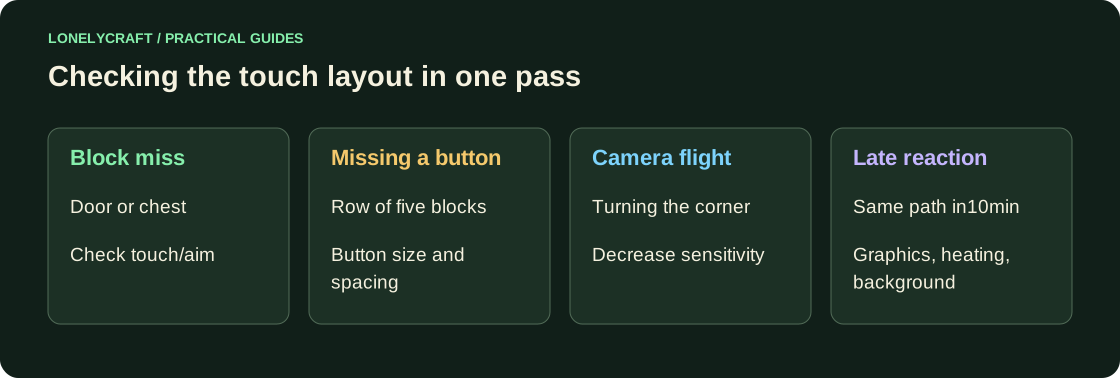
For a relaxed construction experience, try touching the desired block: you need to rotate the camera less. For combat and precise aiming, compare a crosshair with a dedicated action button. If an item is applied to the wrong block, figure out where the crosshair is pointing or what the touch selected before changing the sensitivity.
Conduct an experiment in a small area
In a creative test world, build a path, a door, a wall with three highlighted blocks, and a row of chests. Walk the route twice on each diagram. Count misses, random jumps and stops, not the time of the fastest pass.
- Open the door without breaking the adjacent block.
- Place five blocks in a row and remove only the middle one.
- Go around the corner while keeping the camera facing.
- Open the correct chest and return to the path.
Select size and sensitivity
When adjusting the button layout, make the frequently missed button larger and move it away from the adjacent one. Keep enough free space to rotate the camera. Don't try to fit your big jump, attack, and inventory under one finger at the same time. Take a photo of a successful layout.
For the camera, swipe your finger in one familiar motion. If the sight constantly flies over the desired block, reduce the sensitivity in small increments. If you have to intercept your finger several times to turn, increase it. Repeat the route after each change; Do not immediately change the button size and camera speed.
Distinguish control problems from lag
If the sight lags even with a smooth finger movement, temporarily turn off the heavy graphics and reduce the range. If the phone overheats, the delays can return after a few minutes. The sensitivity slider will not correct low frame rates.
On the main world, check crouching at the safe edge and opening the server menu. Different interfaces may require precise touches; leave the scale at which the text and cells are readable.
Differences between Bedrock, third party Java client and browser. Ways to play on your phone.
If the interface responds late, check the graphics load. Setting up Bedrock graphics.