Check your device first
The official list includes Xbox Series X|S, Xbox One, PlayStation 4/5, compatible Android, iOS and Windows PC. Nintendo Switch is not included in this list. Support for regular Bedrock does not mean support for all of its graphics modes.
- Find the exact graphics model, not just the brand name of the phone.
- The list of families does not guarantee compatibility of each device and driver; the final sign is the available mode in the game.
| Platform | Published requirement |
|---|---|
| Android | Adreno 640, Mali-G68, Mali-G77 or Xclipse 530 and higher |
| iOS | A12 or M1 and higher |
| Windows | Minecraft runs via DirectX 12; Some older DX12 GPUs may not be suitable |
Switch mode from the main menu
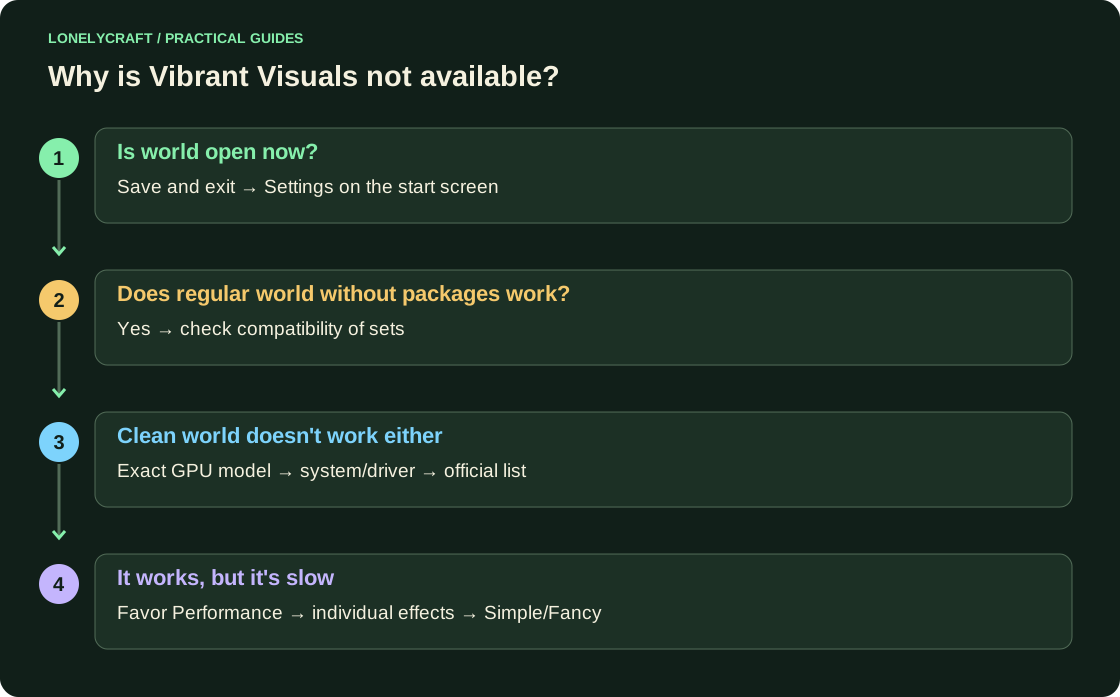
Save world and exit to the start screen. Open Settings → Video → Graphics Mode → Vibrant Visuals. For the first test, select Favor Performance, then go to a simple test world without third-party packages.
In Vibrant Visuals Options, increase effects one at a time. Walk a familiar route with water, foliage and room, then check it out after ten minutes. If the movement is uncomfortable, return to Favor Performance or Simple/Fancy. The mode is available on some devices, but is difficult for normal play.
If the setting is greyed out
Check three different reasons: you are still inside the world; device/system not supported; active world or package is incompatible. Official instructions clearly distinguishes between these cases.
Update the game from the platform store. On Windows, check the OS and manufacturer's driver. To test the content, create a regular world without sets; if it works, return the sets one at a time. Removing the hardware check by renaming the package does not create GPU support.
Multiplayer and older shaders
Friends can play together with different graphics modes: this is a local design. Split screen with Vibrant Visuals is not supported; when multiple players log in locally, the game switches to a different skin. The old Bedrock package called shaders does not automatically gain compatibility with RenderDragon; Look for explicit support for the current mode from the author.
Texture and graphics mode are different adjustment layers. First resource pack.
For Java, a separate loader and other files are used. shader Java.