Find data stored outside the server folder
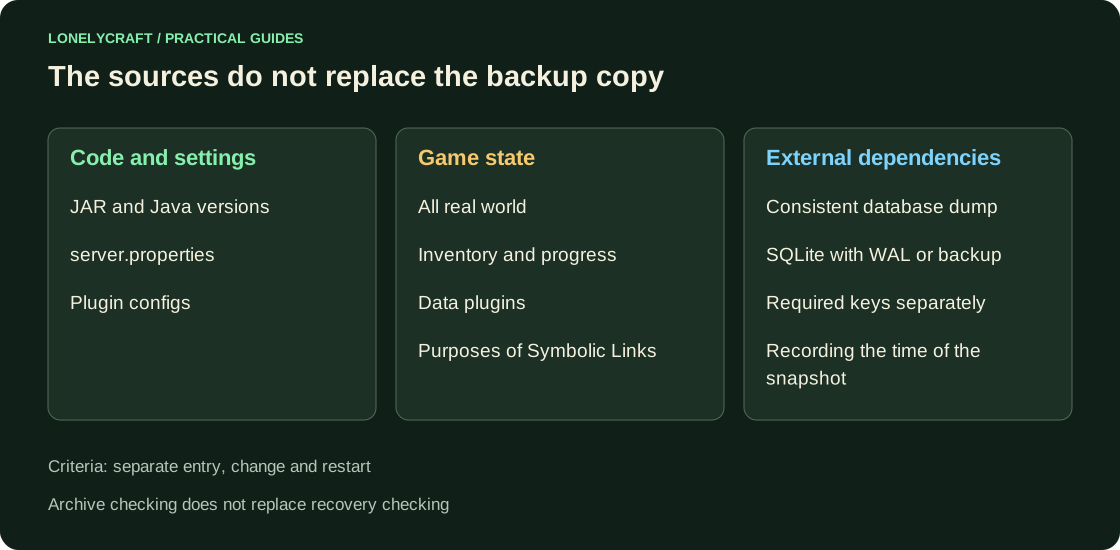
Make a list of world, plugins directory, external SQLite/MySQL/PostgreSQL, symbolic links and keys, without which the data cannot be opened. The Git repository with configs does not automatically contain inventories, regions and balances.
In the console, run save-all flush, then stop and wait for the process to complete. During copying, disable automatic restart. Remove the external database with a standard tool when the senders are stopped; local tar does not include it.
Create an archive outside of runtime
The Linux example assumes the source /srv/minecraft and a new file with the date. The backups directory is located outside so that the archive does not include itself. command requires read source and destination write rights; if the file already exists, choose a new name.
mkdir -p /srv/backups
tar -czf /srv/backups/minecraft-2026-11-04.tar.gz -C /srv/minecraft .
tar -tzf /srv/backups/minecraft-2026-11-04.tar.gz
sha256sum /srv/backups/minecraft-2026-11-04.tar.gz > /srv/backups/minecraft-2026-11-04.tar.gz.sha256
sha256sum -c /srv/backups/minecraft-2026-11-04.tar.gz.sha256
Consider SQLite and external paths
With owners completely stopped, save SQLite and the remaining WAL/SHM files together. For a separate working database, use SQLite Backup API, for example sqlite3 plugins/Example/data.db ".backup /srv/backups/example.db". This does not make the simultaneously changing Minecraft-world consistent with the base.
WAL — part of the database state; a copy of one .db while the process is running may miss committed changes. Regular tar also saves the link, rather than automatically storing the entire contents of the external directory. On Windows, the available tar is called in the same way, and the hash is checked by Get-FileHash.
Restore into an isolated folder and test writing data
Create an empty /srv/minecraft-restore and extract via tar -xzf /srv/backups/minecraft-2026-11-04.tar.gz -C /srv/minecraft-restore. In the copy, set server-ip=127.0.0.1 and server-port=25566, disable Geyser, payments and work notifications; point external databases to individual restored instances.
Run the saved JAR of the appropriate Java. Check blocks, items, balance and permissions. Change the control progress, terminate via stop and make sure it persists after restarting. Time the entire recovery time: unpacking is only part of it.
Keep generation outside the main disk and history longer than normal error detection time. After adding a new DB, repeat the restore: a successful old script may not know about the new directory.
A pre-migration copy is needed to return to the previous code. Coordinate backup with update.
The availability of the archive without the old server is verified by a real transfer. Conduct a rehearsal on a new host.