Prepare a new host without changing the server version
Make a note of Java, Paper, plugin versions, world paths, external databases and TCP/UDP ports. On the new host, use the same binaries first. For existing Paper 26.3, keep Java 25: relocation and version changes are checked separately.
Before switching, restore a trial copy with separate databases and work payments/notifications disabled. Measure transmission, launch and control input; this will give the actual duration of the window.
Copy the final consistent dataset
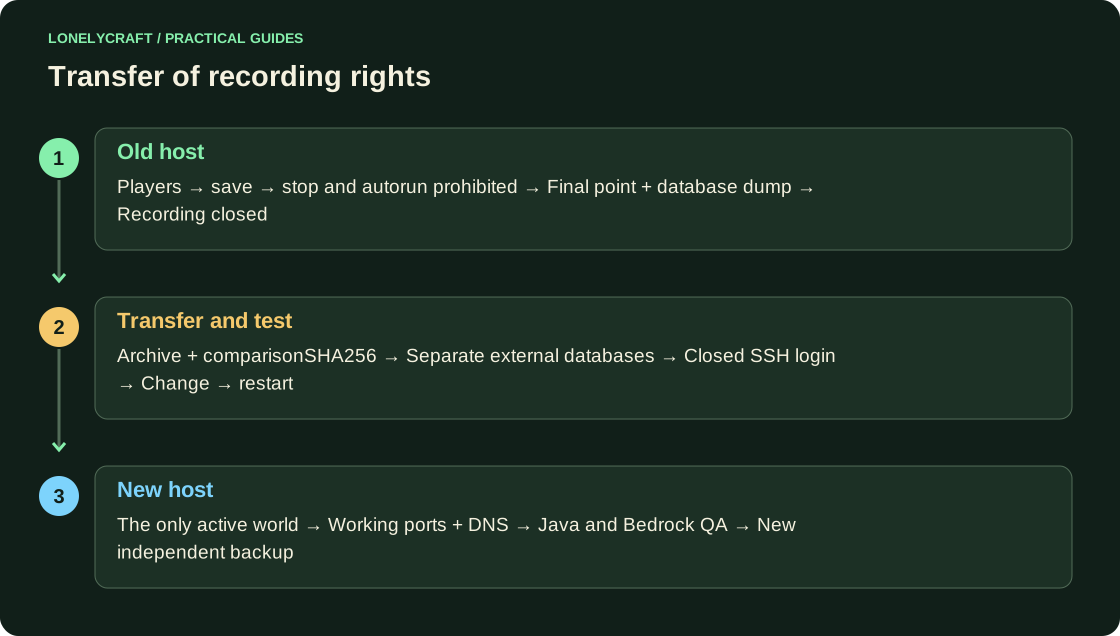
Agree to stop, run stop in the Minecraft console and prevent the old process from automatically starting. Dump the external database separately using a standard tool: pg_dump creates a logical copy of PostgreSQL, while tar runtime does not contain it.
Below is a Linux/OpenSSH example. Replace mc-new.example and user with real values. The destination directory must be empty and owned by the desired user. scp transfers the archive via SSH; Compare SHA256 on both sides before unpacking.
tar -czf /tmp/minecraft-final.tar.gz -C /srv/minecraft .
sha256sum /tmp/minecraft-final.tar.gz
scp /tmp/minecraft-final.tar.gz minecraft@mc-new.example:/tmp/
Test the new instance with public access closed
On the new host, unpack the archive into /srv/minecraft. Before running, in the restored server.properties again set server-ip=127.0.0.1 and server-port=25566: the archive could return the previous values. Working integrations are currently disabled, external databases are isolated.
From your computer, open the SSH tunnel command below and log in with a Java client to localhost:25566. Check the old chest, inventory, rights and balance; change control progress and repeat after stop/start. This TCP tunnel does not check Bedrock UDP.
ssh -N -L 25566:127.0.0.1:25566 minecraft@mc-new.exampleSwitch the single source of writes
After the closed test, stop the new process, return the intended working addresses/ports, and enable the tested integrations. Change DNS A/AAAA and Java SRV if necessary. The old process remains stopped: some clients can still see the previous address from the cache.
Check the external Java input, Bedrock separately, backup paths and monitoring. Create an independent copy in a new location and restore it before deleting the old set. Before the general entrance, the return goes to the final point; after the game starts, new progress requires its own agreed transfer back or an obviously known loss of time.
The missing external base is revealed by rehearsal. Check the composition and restoration of the copy.
The client can receive the previous address or a separate SRV target. Check DNS and Java SRV after change.