Download the JAR and verify the actual Java runtime
Open official loading Paper, select 26.3 and save the assembly into a new mc-test folder called paper.jar. Make a note of the original file name and build number so you can repeat the test with the same kernel.
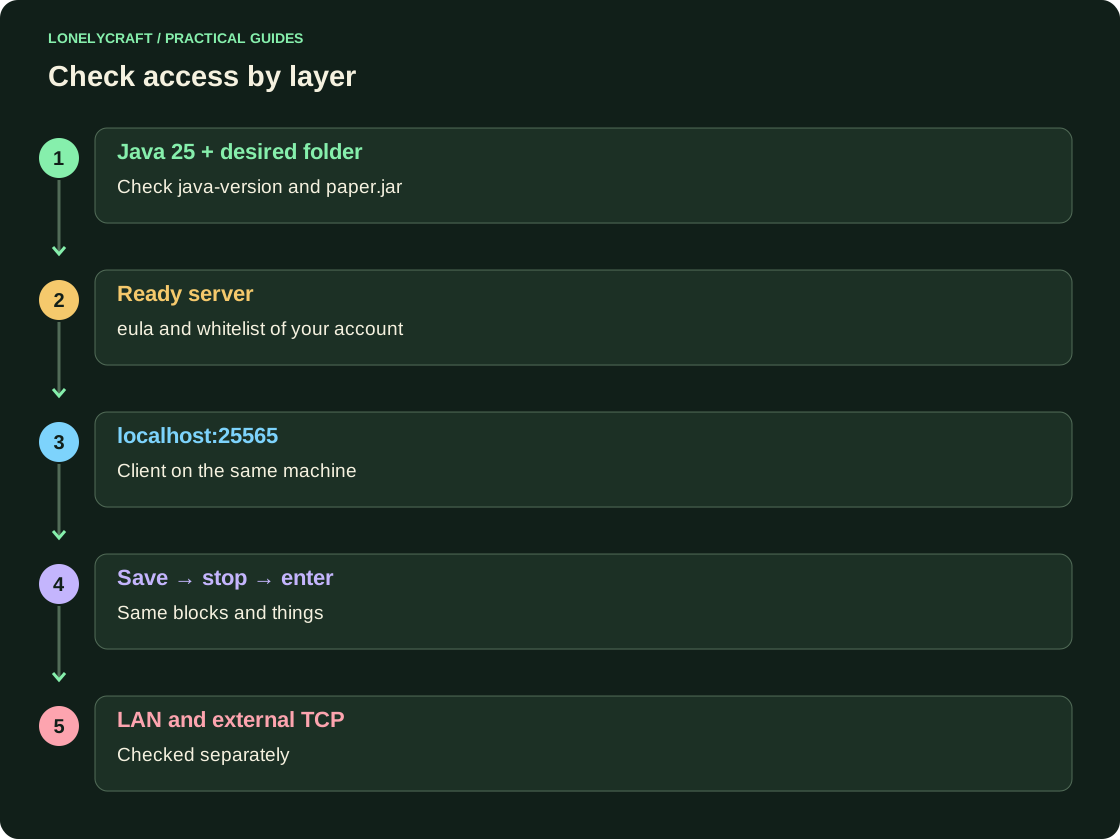
Install JDK 25 for your OS and processor. Execute java -version in the terminal from which the server will be launched. Paper requirements depend on the kernel version; old Java21 does not run 26.3.
Run from the created folder
Open a terminal directly in mc-test. The command below allocates a maximum of 2 GB: leave memory for the OS. The first run will create eula.txt and stop. Read Minecraft EULA and only if you agree, change eula=false to eula=true; then restart.
java -Xms1G -Xmx2G -jar paper.jar --noguiLeave the test closed and add your account
After successful loading, terminate the process via stop. In server.properties set the properties below then run again. In the console, run whitelist add ВашНик and whitelist on; this doesn't give away the OP.
On the server computer, open the Java client 26.3 → “Network game” → “Direct connection” → localhost:25565. From another computer on the same network, use the server's local IPv4. Successful localhost does not check access through the router.
server-port=25565
server-ip=
online-mode=true
white-list=true
gamemode=survival
difficulty=normal
Prove that the same world is preserved
Without OP, place three recognizable blocks and an item in the chest. Exit, in the console run save-all flush, then stop; wait for the process to complete. After a new start, check the blocks, chest and personal inventory.
An empty new world often requires checking the working folder and level-name rather than additional memory. Cannot bind to address - check the port and empty server-ip; UnsupportedClassVersionError - JVM of the process. Before installing your first plugin, save the complete source directory.
Access from outside and operation of the local server are checked separately. Parse the exact connection message.
Change one component and still be able to return to a production test. Install the first plugin.