

Two radii solve different problems
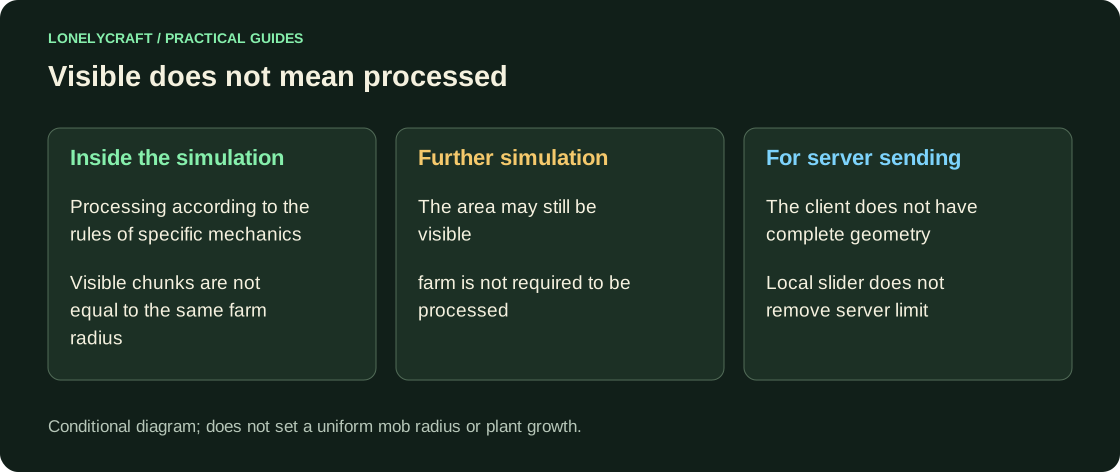
chunk has a base of 16×16 blocks. Render Distance is measured in chunk and affects the resulting image. Simulation Distance specifies the world processing area around the player; this is not a universal radius for all farms. For example, the conditions for random ticks, mob spawns, and loading chunks are different.
In single player, both options are found in the world/video settings of the respective edition. In a network game, the server limits sending chunks and its own simulation. The client setting in 32 chunk does not bypass the server limit. Reducing the local range can make rendering easier, but is not a load adjustment on someone else's server.
How to test the effect without guessing
Make a copy of the test world. Set Render Distance 12 and the smallest available Simulation Distance. Place a clearly visible continuous mechanism with a lamp and observe it from different distances; repeat, moving closer. Don't use the growth of one plant as a stopwatch: random ticks give spread.
For a real farm, record the AFK position and study its specific condition: whether you need a player nearby, random ticks, a certain mob spawn distance, or a constantly busy area. The word "runs in loaded chunks" often hides several different requirements.
First, make sure the mechanics apply to your edition. Why Java Schema Doesn't Work in Bedrock.
How to choose reasonable values
For a weak client, start with 8 chunk of rendering and a small simulation radius available, then increase one at a time. When selecting an AFK point, it is more important to preserve the necessary farm conditions. Too far away may stop production even though the chest and roof are still visible.
In Bedrock, changing Simulation Distance is also related to mob behavior, so do not transfer distances from the Java video. On a shared server, first ask for its farm settings and restrictions. To check for change, compare output over the same time period with the same number of players and the same AFK point.
If the task is FPS only, first reduce the local graphics load. Settings for a weak computer.
