Create a profile for the selected game
Open official Fabric installer, select the option for your OS. Close Minecraft Launcher. In the installer, open Client, specify the full Minecraft Version, Loader Version and launcher directory, then Install. Don't choose snapshot for a regular build.
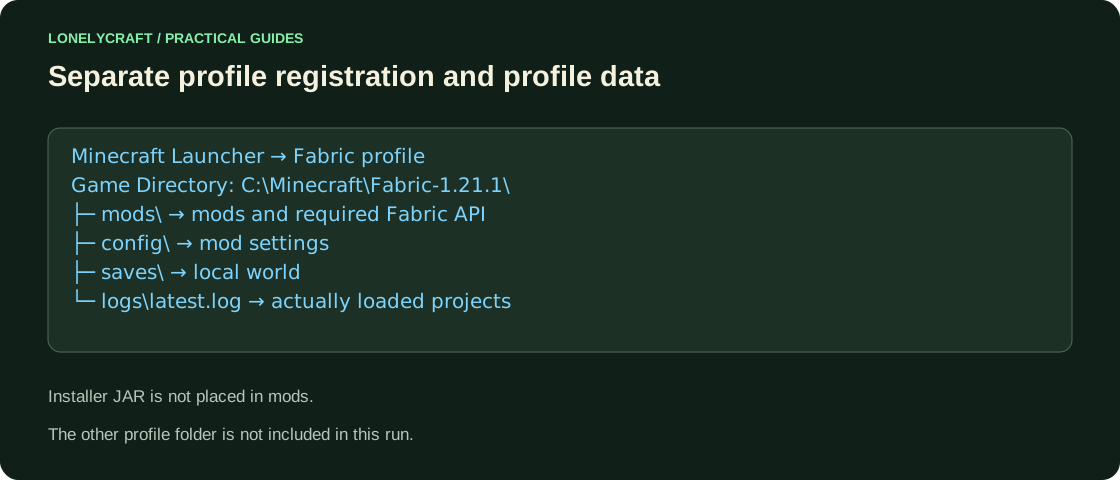
In the launcher, open Settings, turn on the modified versions filter and find Fabric. Via Edit → More parameters, set the Game Directory, for example C:\Minecraft\Fabric-1.21.1. Run to the menu and close. The installer and the game folder perform different roles: the first registers the profile, the second stores its mods and world.
Download one mod and the necessary libraries
Open the project page on Modrinth or CurseForge using the author's link. In Versions/Files, check Minecraft, Loader: Fabric and Dependencies/Relations. The JAR is not suitable for NeoForge; matching just the number 1.21 is not enough.
Place the JAR in mods of the selected profile without unpacking. If the Fabric API is listed as a dependency, download its release for this game and keep it nearby. Loader and API are different projects. Don't install multiple versions of the same library "just in case."
In regular Fabric there is no required button with a list of all mods. The additional Mod Menu provides such an interface, but in itself is not needed for each mod to work. Check the project's function and the presence of its ID in logs/latest.log, not just a new button on the screen.
Test the installation before opening your main world
Create a test world, perform the mod action and restart the game. For example, for a visual mod, check the desired settings screen. If the bootloader says Incompatible mods found, read the required versions and correct the specific line.
For meaningful mods, first make a copy of world and save mods along with config. Accidentally deleting a block mod is not a safe way to fix an old save. On someone else's Paper server, the client Fabric does not add new items to the server.
The log and verification by dependent groups will help during departure. Finding mod conflicts.
Save all chunk and world data before changing the build. Copy Java-world.