Device and method of play
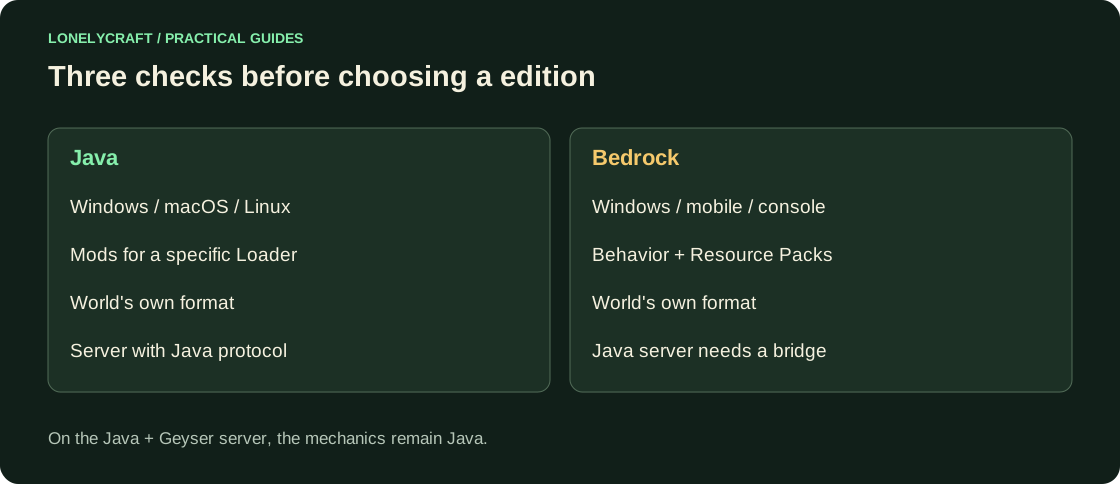
Java officially runs on Windows, macOS and Linux. Bedrock is designed for supported Windows devices, phones and consoles. The presence of Minecraft Launcher on a PC does not indicate which edition is running: look at the Java Edition label or the game card.
Third-party mobile Java launchers are a separate launch method with their own limitations. The browser client also cannot be considered a regular installed Java Edition. When choosing, compare the path you need, not just the word Minecraft.
If you need a Java client on Android or iPhone, check the terms separately. Minecraft on phone.
Who can you connect to?
Regular Java and Bedrock servers use different protocols. A shared server requires a configured bridge like Geyser or another explicitly supported path. The mere presence of two friends in the contact list does not translate the protocol.
On a Java server with Geyser, the server-side game mechanics remain Java. Bedrock-controls and interface are translated, but farms do not become Bedrock-farms just because you are logged in from your phone. Check the address, port, supported version and character identity rules.
How is the entry of two editions onto one server organized? Geyser Bridge.
Additions and saves
Java mods require their own loader, Bedrock uses Add-Ons. Resource packs and commands are also different. Find the author's release of the desired project for edition before creating a long world: the same package name does not guarantee the same functions.
Java stores world differently than Bedrock. Copying the saves directory to minecraftWorlds is not a conversion. Third-party migration is checked on a separate copy, including containers, villager, mechanisms and dimensions; the original world is kept intact.
Make a choice with a few checks
- Record all participants' devices and actual editions.
- Choose a place to play: an existing server, Realms or your own world. Check each customer's support.
- Find the required mod/add-on and its exact requirements.
- Make a trial general login, open the chest and menu, check the chat.
- Only after this move the main world or start a larger base.