Select version before downloading
If you're going to play with friends, use their build's version and loader. If you're starting with a specific mod, first look at which editions of Minecraft and NeoForge it supports. Use the Fabric or Forge file only with explicit permission from the author for the selected combination.
The example below is Java 1.21.1 from NeoForge of its branch. The installer needs a suitable system Java; Check the requirements in the NeoForge manual. The Runtime built into the game launcher and the Java that launches the JAR installer by double clicking may be different.
Install the client, then separate its data
Launch the selected regular version once in the official launcher and close it. On NeoForged website select Minecraft Version and download the installer. Run the JAR, leave Install client and click Proceed. The installer itself is not copied into mods.
- Open Launcher → Preferences → New Installation. Enable showing modified versions if the required line is not available.
- Name the profile NeoForge-test, select the installed NeoForge and a separate Game Directory, for example C:\Minecraft\NeoForge-1.21.1.
- Run up to the menu, close and open the created mods folder inside this directory.
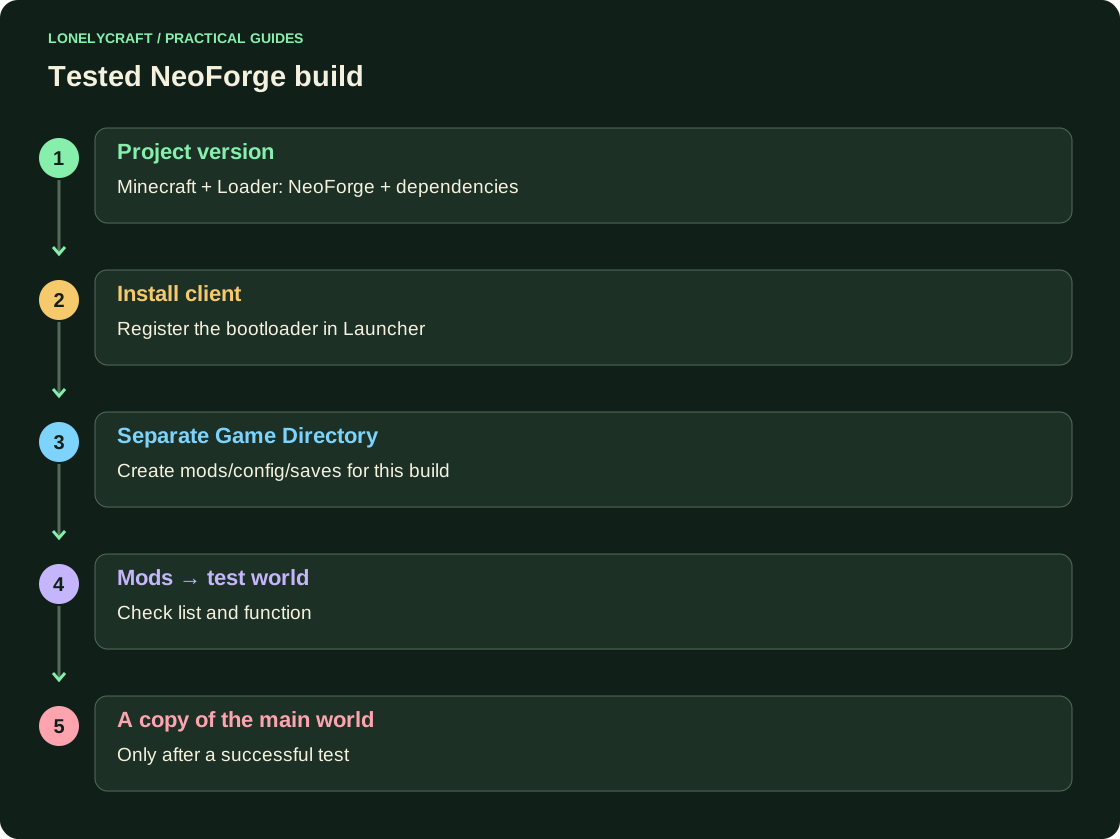
Add a project and check the Mods screen
In the Versions/Files of the author page, select Minecraft 1.21.1 and NeoForge. In Relations/Dependencies, find the required libraries. Download their compatible JARs along with the main mod, without unpacking. Keep only one version of each project.
Launch the profile and find the project on the Mods screen. Then create a new world and test the declared function. A missing item sometimes requires tweaking or new chunks; the description of the mod is more important than the expectation that everything will appear immediately near the spawn.
Update via copy
Before updating, close the game, save saves/<мир>, mods and config. After updating, check loading, function, saving and reopening a copy of world. To rollback, you need both the previous build and an untouched save. Returning the old JAR does not undo the changes to the already saved world.
When departing, please attach logs/latest.log, a new crash report and the contents of the latest working build. Don't install a random compatibility mod instead of figuring out the specified dependency.
Troubleshoot the bootloader error before changing the assembly composition. Crash diagnostics.
What is included in a full backup of world. Java save copy.