

Save the evidence first
Immediately after a failed startup, copy logs/latest.log from the instance directory. If the file appears in crash-reports, save that too. Write what you changed before the failure: one JAR, bootloader, Java, configuration or world. The screenshot of the last window does not replace the log text. Examples of parsing can be found in the official Fabric documentation.
At the beginning of the error, look for the requirements requires, depends, incompatible, duplicate mod ID. If a missing mod or version range is listed, fix that first. The UnsupportedClassVersionError message indicates an incompatible Java runtime. Do not change the version in JAR metadata to bypass the check.
If the requirements are met, reduce the set
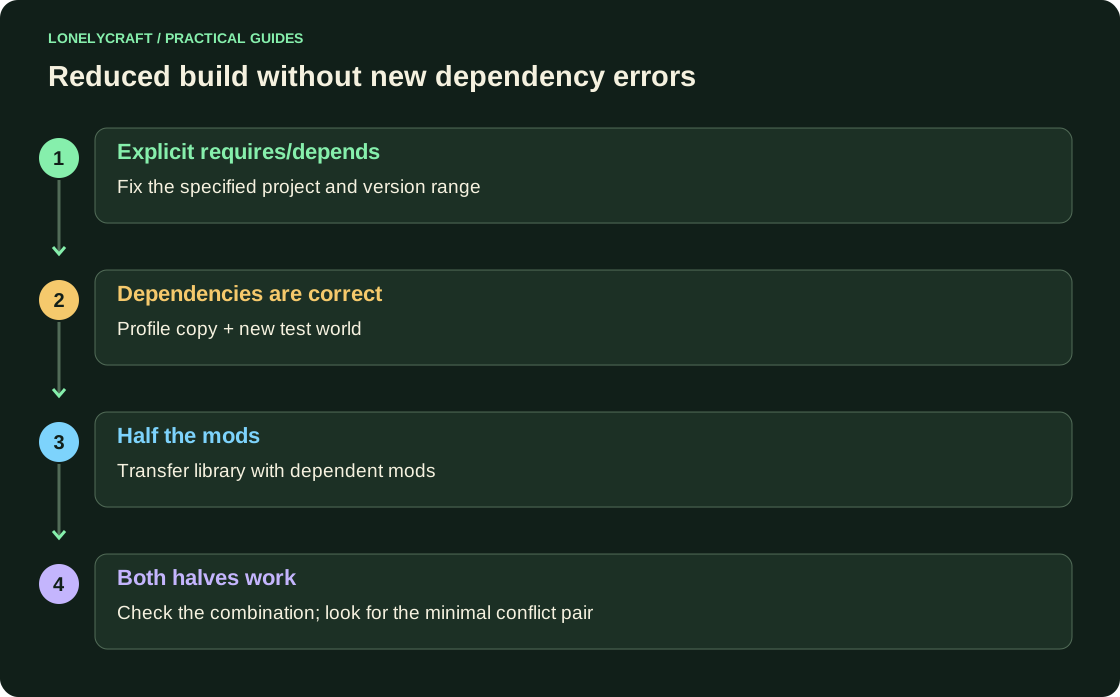
Create a copy of the profile with the same game and loader. Don't open the original world yet. First, confirm to run the bootloader without optional mods, then add the suspicious project with its required libraries.
For a large build, split the optional mods in half, but move the library along with the dependent projects. Otherwise, instead of the original conflict, you will receive a new missing dependency error. After each test, write down the composition and result. If both halves work separately, check their combination: two mods installed together may be to blame.
Do not remove content mods from the working world for such an experiment. Missing blocks and objects can be preserved forever. Use a new test world or a separate copy of the old one.
Read the reason, not just the familiar name
In the crash report, examine the Description and the Caused by chain. The Sodium, Fabric API, or other common component mentioned in the stack is not necessarily the culprit: it could only be causing the broken mod's code. Check the author's issue tracker for a similar case, including the game version and full symptom.
For a bug report, please include the minimum reproducible set, version list, action step, and log. Before publishing, remove tokens, private server addresses and personal paths. Once corrected, repeat the original action, saving and reopening the test world.
The profile and required dependencies are discussed here. Fabric installation.
Save the entire world directory before experimenting. Copy of world Java.
