Install plugins and save the original state
In a separate stopped Paper, install the Bukkit version of LuckPerms and the main JAR EssentialsX. After launch, check lp info and no loading errors. Save the export command lp export before-permissions; The path of the created file will be shown by LuckPerms.
The essentials.home and essentials.sethome nodes belong to EssentialsX. Their existence is not implied by the command name of another plugin: first find out who is serving /home.
Assign precise permissions
Execute the lines below in the console without the slash. Default inherits from member, so new regular players get these two actions. This is not an administrative group or a wildcard rule.
lp creategroup member
lp group member permission set essentials.home true
lp group member permission set essentials.sethome true
lp group default parent add member
Test with an ordinary account, then revoke the permission
Maintain console access, then execute deop ВашНик. Enter with this player, set the house to /sethome, move away and do /home. Then try /gamemode creative: group member did not allow it.
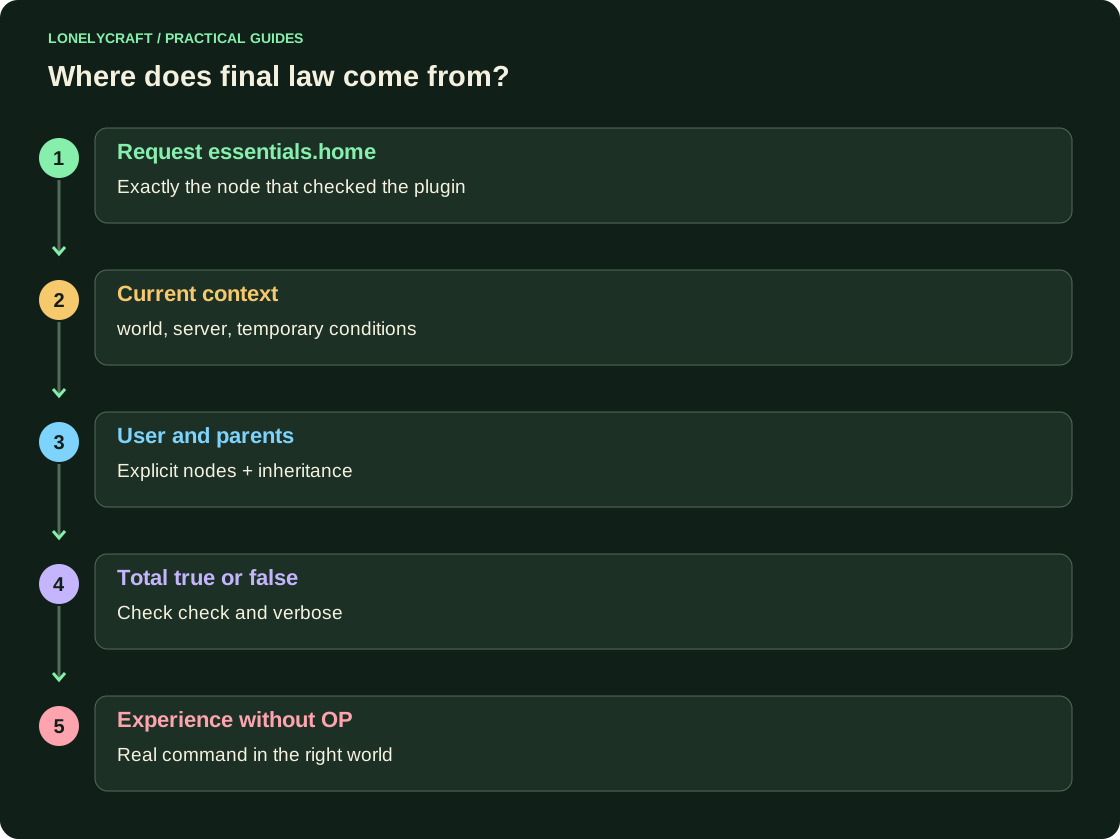
For a point recall, run lp group member permission unset essentials.home. Repeat /home with the same player in the same world. If it is still available, check lp user ВашНик permission check essentials.home: the right may have come from another parent or personal node. List command LuckPerms shows separate set, unset and check.
Trace the permission check that fails
Turn on lp verbose on, repeat one problematic action and turn off through lp verbose off. In the output, look for the requested node and the result, rather than spitting out essentials.* at random. Filtering details are in Verbose LuckPerms.
Eligibility and numerical limit are different tests. For three houses, test the third and fourth houses separately. The world context, time group and command from the menu button also require your own experience. Don't import an entire old upload to cancel one new node if there have already been useful changes since it.
The button and manual input should test the same action. Right inside command handler.
The same label on the screen does not guarantee the same owner of the command. Check menu button command.