Choose which layer to change
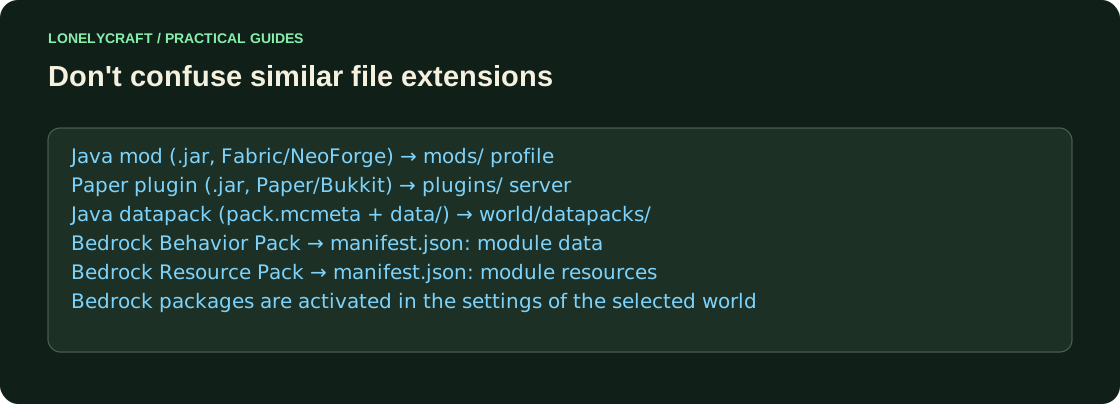
The JAR extension is found in both the mod and the plugin. Determine destination by author page and supported platform, rather than by a single file extension.
| Task | Format | Where |
|---|---|---|
| Java Client Functions | Mod for a specific Loader | mods of the selected profile |
| command and Paper server protection | Paper/Bukkit plugin | server plugins |
| Java-world data and functions | Datapack | datapacks of a specific world |
| Java textures and sounds | Resource pack | resourcepacks client |
| Behavior Bedrock-world | Behavior Pack | Activate in world settings |
| Bedrock Resources | Resource Pack | Activate in world/supported global settings |
Three checks before installation
On the release page, check the edition, the full Minecraft version and the environment: Fabric, NeoForge, Paper or Bedrock. Then read Required Dependencies and Supported Environments. A purely client mod can work without a server installation; a mod with new blocks usually requires server-side consistency. The description of a specific project is more important than the general rule.
Regular Paper does not load Fabric mods from plugins. Client NeoForge does not add its own blocks to someone else's server. Geyser moves the Bedrock connection to a Java server, but does not turn Java mods into Bedrock Add-Ons.
Java profile and mod dependencies. Fabric installation.
Server directory, startup and loading log. Installing the plugin.
Bedrock: import and activation separately
mcpack is an imported package, mcaddon can combine related packages, mcworld is world. After successful import, the package still needs to be activated where it is needed. Check the Resource Packs and Behavior Packs of the selected world. For linked packages, keep dependencies and compatible versions.
The Resource Pack changes the resources, and the Behavior Pack changes the supported game data and mechanics. A new entity often needs both. ZIP Java-shader does not become a Bedrock package after renaming: the structure and graphical path are different.
Check the format on one texture. Bedrock resource pack.
Change one entity and check its identifier. Behavior Pack.
What to do with an unfamiliar archive
Do not put the contents into all directories at once. Open the author's instructions: a ready-made modpack may contain a manifest and a list of downloadable projects, rather than an installed JAR. Start with a separate test profile or copy of world. After installation, check the visible result and the log of the exact instance you are using.